Create AppID
The AppID is an important credential for you to call the Wonder OpenAPI. One AppID can only be associated with one Business Account.
A AppID consists of two pairs of RSA key pairs:
- An RSA key pair for sending requests, you need to upload the public key to the Wonder Portal when creating AppID.
- An RSA key pair for verifying the legitimacy of webhooks (which can be obtained from the Wonder Portal in one go when creating the AppID).
Restricted IP
After creating the AppID, use the Restrict IP feature to configure one or more Public IPv4 Addresses, which restricts API requests to be initiated only from these servers and ensures the network security of API requests.
Generic webhook endpoint
Many modules will trigger webhooks, which will be sent to the specified endpoint.
NOTICE: If we detect an excessive number of error responses from the endpoint, we may suspend the usage of the AppID.
Step-by-step guide
Generate an RSA Key pair
OpenSSL is the most popular open source project for cryptography.
Follow the openssl command below to generate a rsa key pair.
# generate a private key with 2048 bits key size
openssl genpkey -algorithm RSA -out private_key.pem -pkeyopt rsa_keygen_bits:2048
# generate the public key, your should copy-paste the full content when you try to create a appid on wonder-dashboard
openssl rsa -pubout -in private_key.pem -out public_key.pem
The Public Key needs to be uploaded in the Wonder Dashboard to get the AppID, if the private key is lost, you have to regenerate the RSA Key pair and regenerate the AppID. Please be careful with your private key, no one will have any reason to get your private key.
Create AppID
You need to create an appid on the Wonder dashboard: https://hq.wonder.app
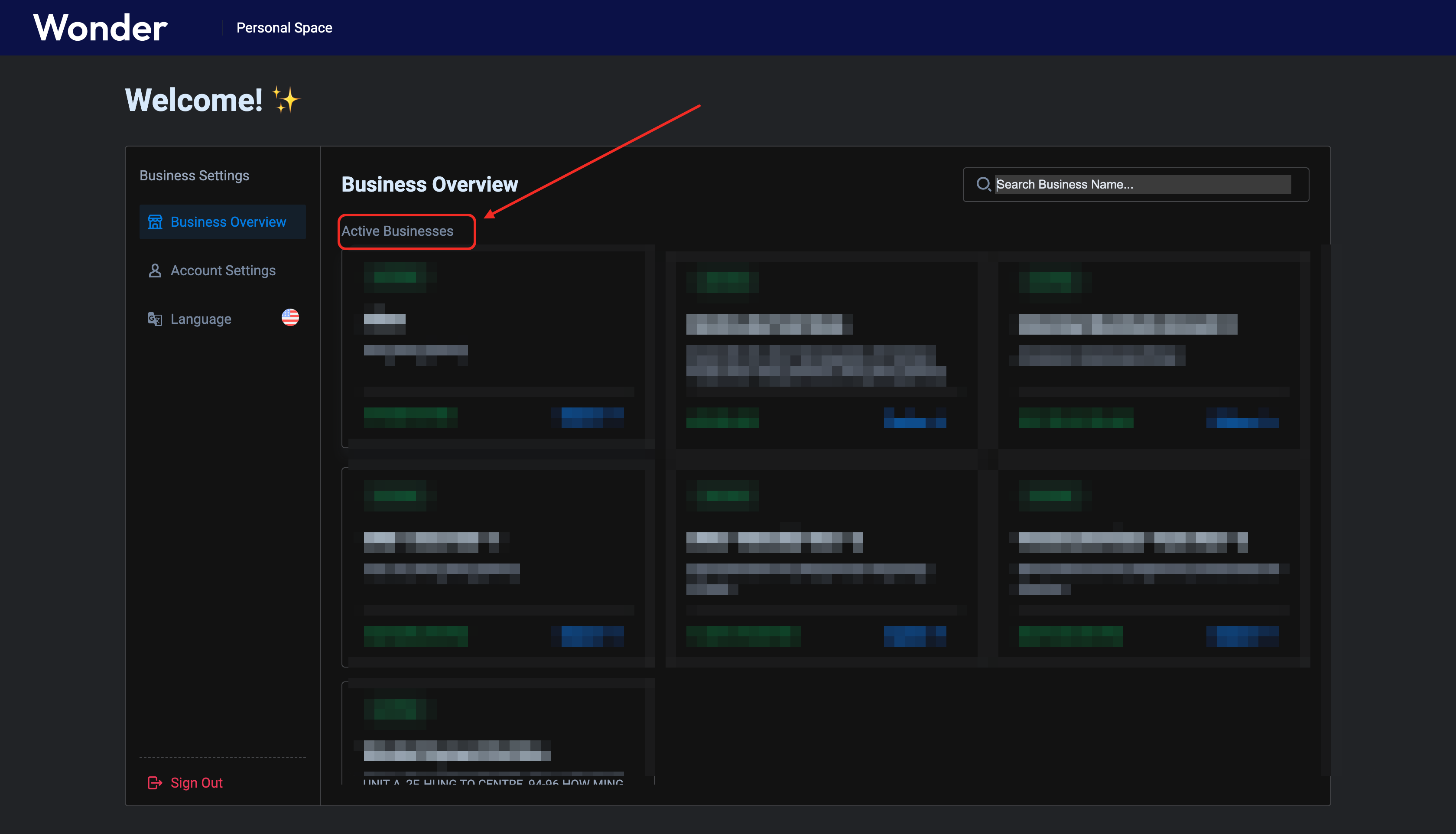
Click the button pointed by the red arrow to create an appid
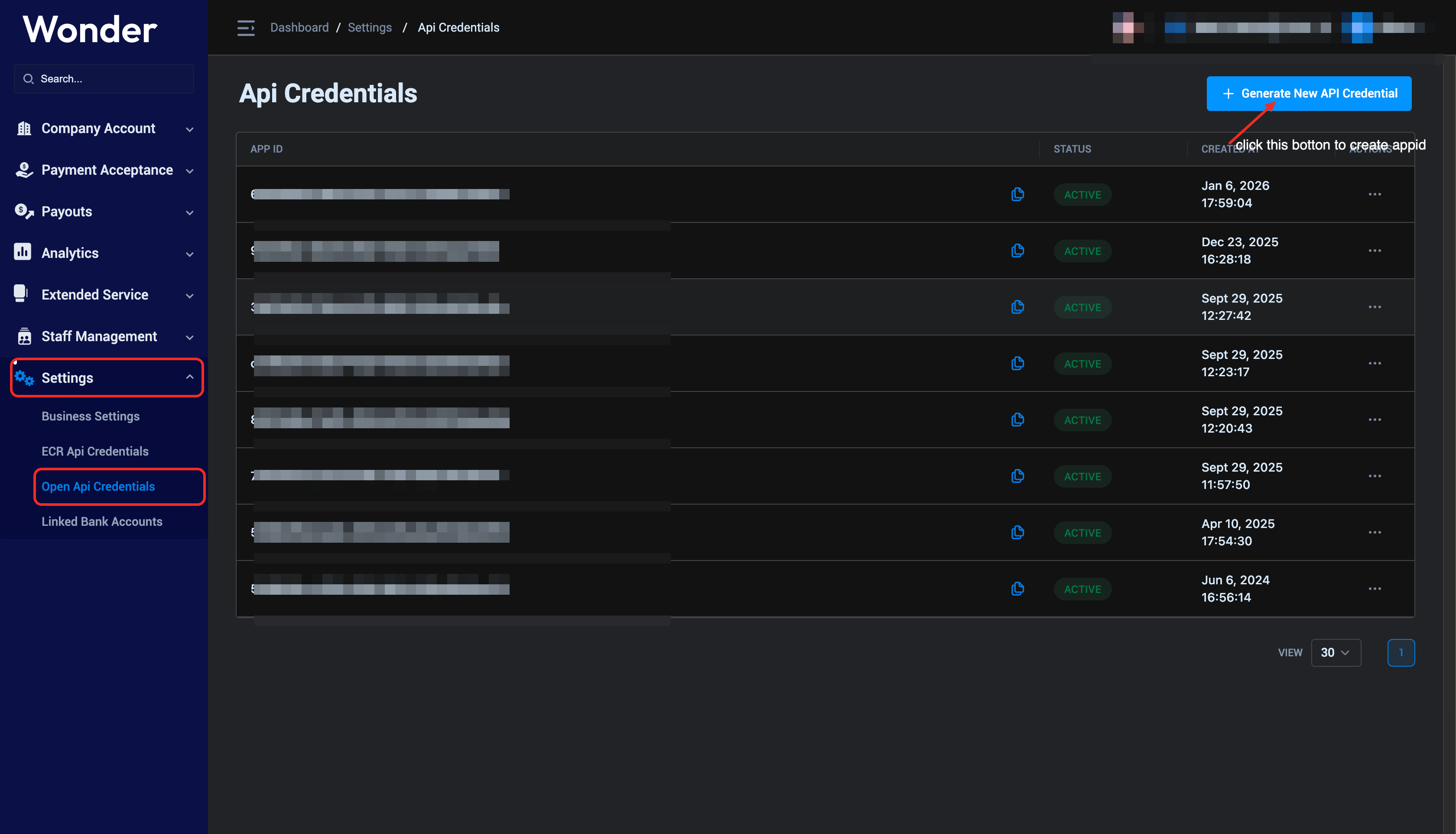
After uploading the public key, click the upload button to get an appid
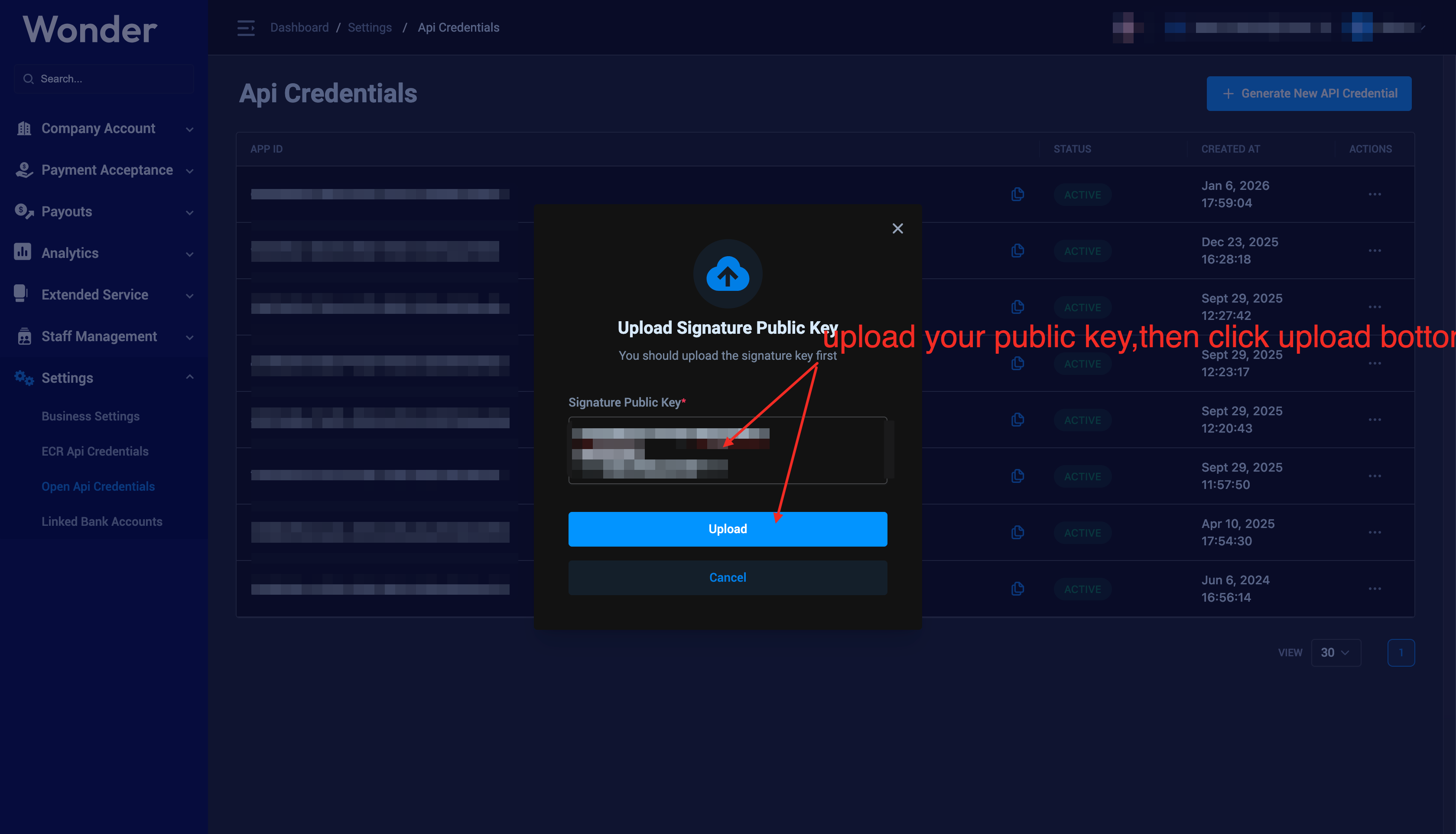
The following figure shows the use of appid and public key,Please save the appid and public key properly
webhook docs:https://developer.wonder.today/doc/openapi/webhook
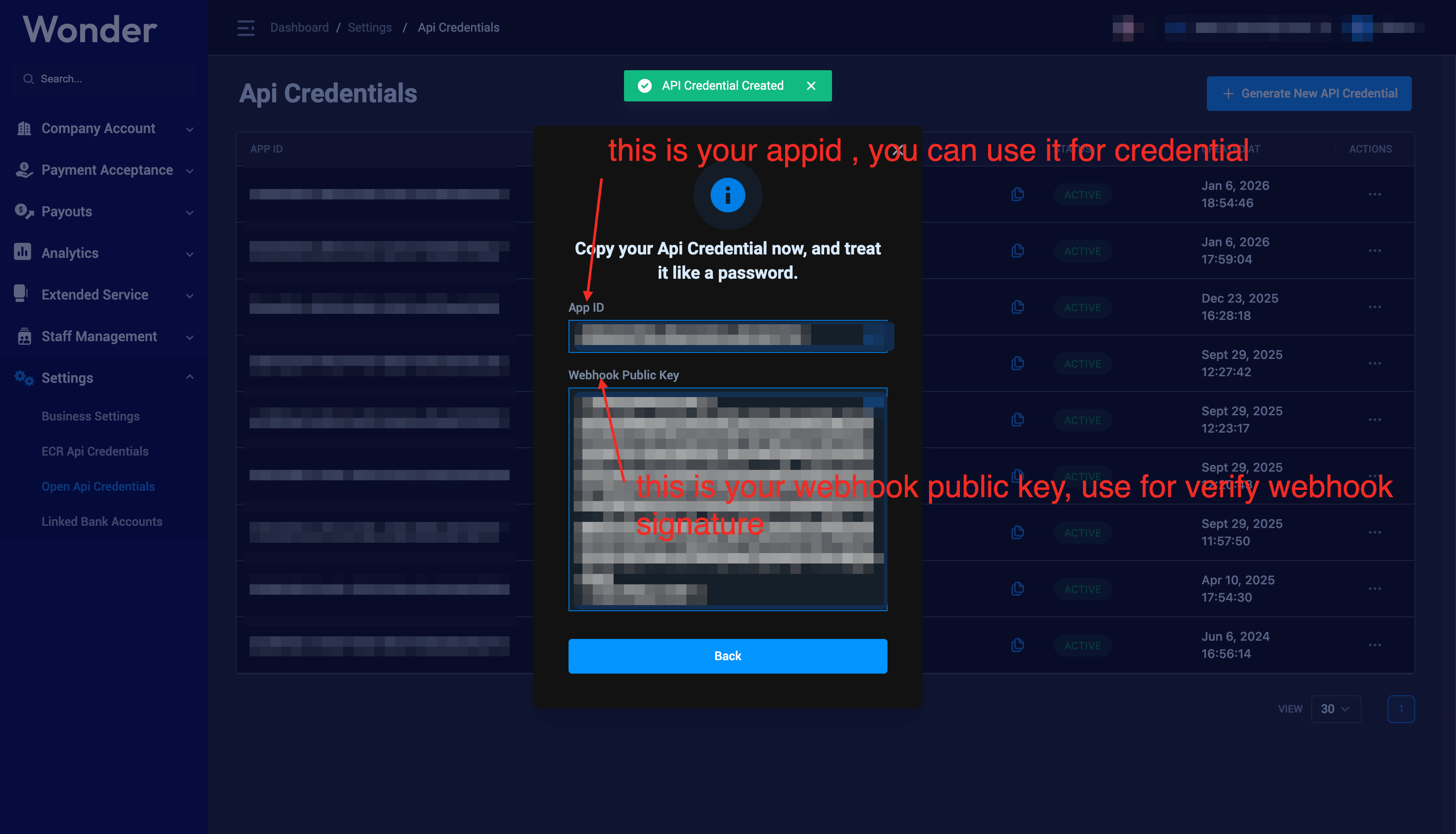
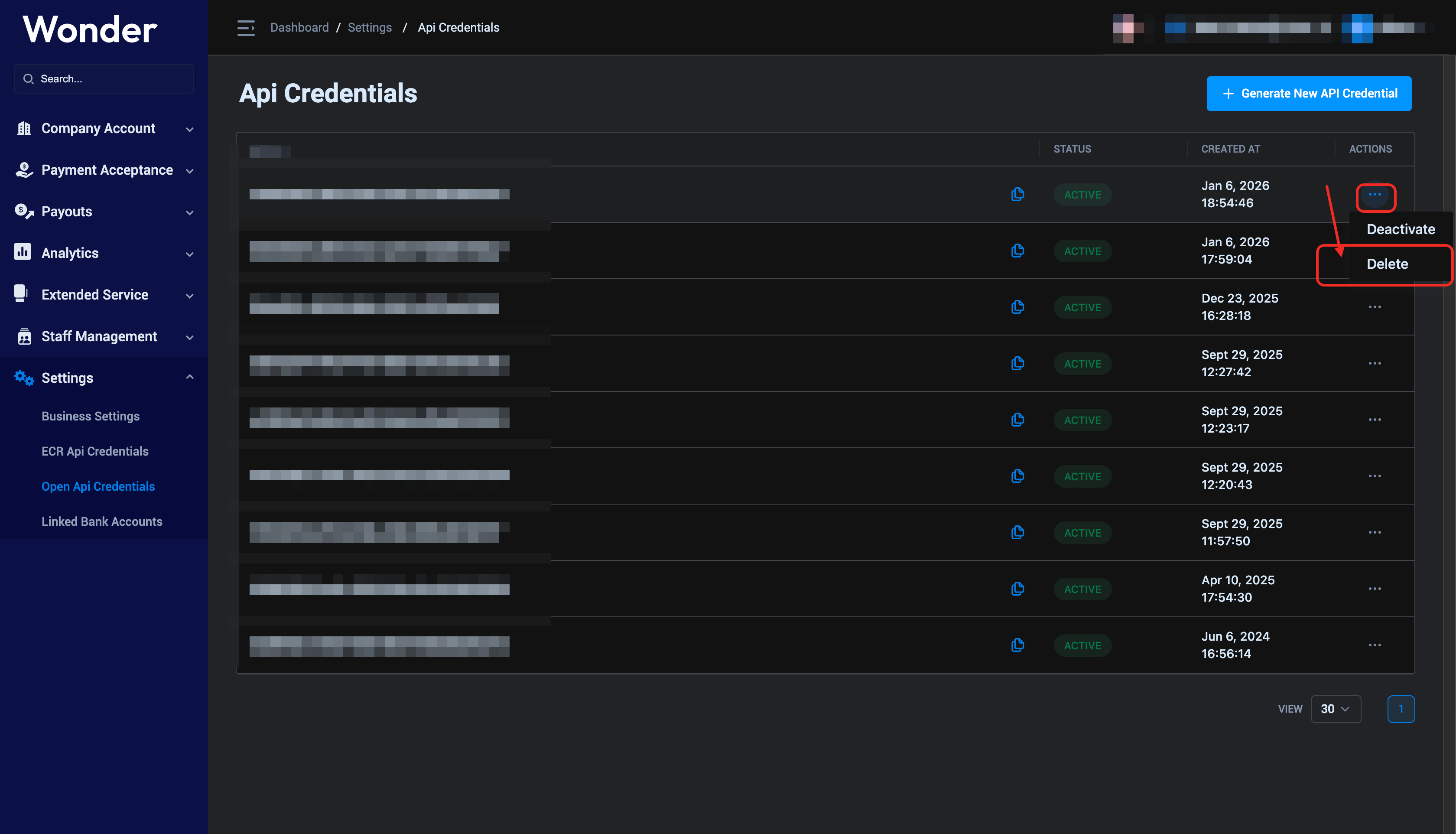
if you want to delete a appid,please click the delete botton
Verify AppID
Verify AppID via the Echo API